Guide · Claude & Codex
Claude Code in 2026: the agentic loop, capabilities, and architecture
A maintained third-party reference to Claude Code: the agentic loop, built-in tools, context window behavior, environments, safety model, and extension layer.
· 4 min read
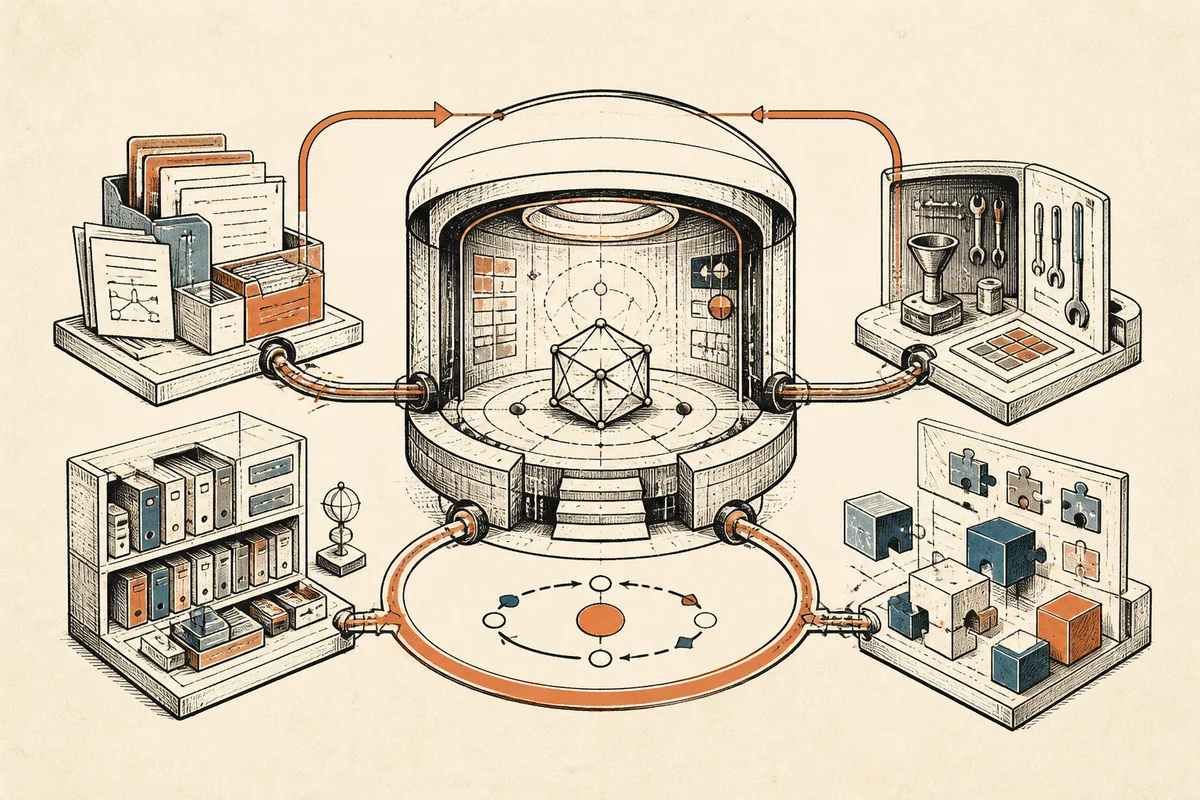
Claude Code is Anthropic’s coding agent: a program that reads your files, runs commands in your terminal, and edits code in a loop until a task is done. The scale of what flows through it is easy to underestimate. Anthropic’s own guidance on context use notes that a single debugging session can consume tens of thousands of tokens; at roughly four characters per token, that is a few hundred kilobytes of code and command output moving through one conversation, inside a context window whose performance degrades as it fills. Most of the architecture below exists to manage exactly that pressure.
This is my maintained reference to how the system works, checked against the official docs on the changelog date below. I wrote a setup walkthrough separately; this page covers what the system is and how it works.
The agentic loop
The core mechanism is a three-phase cycle: gather context, take action, verify results. You give a prompt. The model reads files and searches the codebase until it understands the problem. It then proposes a tool call, an edit or a shell command, which the harness executes. The output of that execution feeds back into the conversation, and the model decides the next step from what it just learned. The phases blend; the docs describe Claude “chaining dozens of actions together and course-correcting along the way.”
The division of labor between the two parts matters more than the three-phase diagram. The model does the reasoning. The harness, which is what Claude Code itself is, provides everything around it: the tool implementations, the permission gates, context management, and the execution environment. The docs put it directly: Claude Code is “the agentic harness around Claude” that turns “a language model into a capable coding agent.”
Built-in tools fall into five groups: file operations, search, execution (shell, git, tests), web search and fetch, and code intelligence via LSP (Language Server Protocol) plugins. The docs’ own worked example shows the loop concretely: told to “fix the failing tests,” the agent runs the suite, reads the error output, searches for the source files, reads them, edits, and runs the suite again. Nothing exotic happens at any step; the capability comes from the feedback loop itself.
What the agent can access
Started in a directory, the agent gets your project files, your
terminal (it can run any command you could run yourself), your git
state, and
two memory layers: CLAUDE.md, the instruction file you write, and
auto memory, notes the
agent writes for itself, of which the first 200 lines or 25 KB load
each session. That whole-project visibility is the practical
difference from inline completion tools, which see one file at a
time.
Sessions and context management
Every message and tool result is written to a plaintext JSONL (JSON
Lines) file under ~/.claude/projects/, which is what makes sessions
resumable, forkable, and rewindable. Sessions are independent;
nothing carries over except the two memory layers above.
When the window fills, the harness compacts automatically: older tool outputs are cleared first, then the conversation is summarized. It should be noted that early-conversation instructions are exactly what compaction loses, which is why persistent rules belong in CLAUDE.md rather than in chat history. In addition, skills load on demand, MCP (Model Context Protocol) tool definitions stay deferred until used, and subagents run in their own windows and return only a summary. Every one of these mechanisms applies the same idea at a different layer, each preserving the main window for the work.
Where it runs
The same loop runs in three execution environments: local (your machine, the default), cloud (Anthropic-managed virtual machines), and Remote Control (your machine, driven from a browser). Interfaces on top include the terminal, VS Code and JetBrains extensions, a desktop app, claude.ai/code, Slack, and CI (continuous integration) pipelines. The interface changes how you observe the loop, while the loop itself behaves identically in each environment.
The safety model
Two mechanisms operate at different scopes. Checkpoints: before any file edit, the harness snapshots the file; two presses of Escape rewind code, conversation, or both. Checkpoints are local and cover file changes only. They cannot, however, undo anything that touched a remote system, a database write or a deployment, which is why those commands prompt for permission even in permissive modes. Permission modes cycle with Shift+Tab: default (ask before edits and commands), auto-accept edits, plan mode (read-only exploration), and an auto mode where a background classifier screens each action.
My working posture, argued at length in agentic coding best practices: treat checkpoints as an in-session convenience and git as the real rollback mechanism, and convert any rule you care about into a hook, because instruction files are advisory and hooks execute regardless of what the model decides.
Distinguishing characteristics
(1) The harness, rather than the model, is the product. The models are available over a plain API (application programming interface) to anyone; the tool set, permission system, context management, and session persistence are where the engineering effort sits. (2) The extension surface is the deepest of the current agents: hooks, skills, subagents, plugins, MCP, and an SDK (software development kit) for building custom agents, compared point by point in my Codex reference and the dual-agent comparison. (3) Everything is a file you can read: sessions as JSONL, memory as markdown, configuration as JSON in the repo. For anyone who wants to audit or script their agent, that transparency is worth more than it first appears.
Keeping this current
Anthropic ships changes to this tool frequently, and a reference page falls out of date quietly. Consequently, this page gets re-checked against the docs on notable releases, with every revision dated below. The next scheduled check is the auto-mode permission classifier’s exit from research preview, which would change the safety-model section above.
Changelog: 2026-07-18: prose pass (removed remaining negation-antithesis constructions). 2026-07-05. First published; all claims checked against the official documentation on this date. Revised the same day: register pass (patient connectives), sourced the token-scale figure, and softened the release-cadence claim.
Sources
More From the Notebook
Why agent distillation needs separate success, constraint, and cost metrics
· 3 min read
Goal, loop, brainstorm: three ways to run the agent's loop
· 3 min read
1M-context Opus on the $200 Max plan: what is included and what is capped
· 3 min read